
Virtual Machine Introspection is Dead

It’s very likely not actually dead. I think VMWare has some type of commercial VMI for anti-malware. Maybe other big corporations have internal solutions they’re not sharing. But in the open source world it’s pretty stale. IntroVirt, Drakvuf, kvm-vmi, HVMI, etc. all exist as a hodgepodge of libraries, kernel patches, and hacks for virtual machine introspection. They are all at varying levels of feature “completeness” with IntroVirt being the most feature-complete user-land library and abstraction layer by far – but only for Windows guests and only on Intel CPUs. The kvm-vmi project has the kvmi sub-project with the most complete KVM kernel patch – supporting Intel, AMD, and ARM, but it’s super outdated. Progress to merge into mainline Linux seems halted and the most up-to-date version targets the Linux 5.15 kernel.
Each one of the available projects is fairly outdated and/or lacking in one way or another. The core issue of the whole thing is just lack of mainline kernel adoption of VMI into KVM. I don’t know if I’m the right person to start that journey, I don’t know if I have the time….I’m not even sure I care enough. But I have some time today to start kicking some tires and I’m using this blog post as a place to keep notes more than anything else. I may get somewhere with this, I may not, I may abruptly stop and never return, but I started typing these paragraphs when I ran make -j$(nproc) bindeb-pkg and it’s STILL RUNNING! So we’re off to the races! ¯\_(ツ)_/¯ I don’t know what I’m trying to say. Let’s start with what I want:
In a perfect world:
- VMI functionality would be adopted into the mainline kernel, enabled by some config like
KVM_INTROSPECTION - VMI would be supported on 64-bit Intel, AMD, and ARM architectures (do we need 32-bit too?)
- VMI WOULDN’T be some half-completed academic project for research – and it would actually be some production/commercial ready thing.
- A user-land abstraction layer (WITH Python bindings) would exist to make tasks like getting system call traces, setting breakpoints, and reading and writing memory as easy as:
import vmi

def cb(*args):
    print("do syscall stuff idk...but the API should be stupid easy")

with vmi.attach("win10-x64") as iface:
    iface.set_syscall_hook(cb)
    iface.run_forever()  # catch cntr+c and exit or something...idk
Why though? (my kernel make command is still running by the way)
Am I the only one that thinks VMI is like the coolest thing ever? It enables you to do whatever you want to a guest and there’s not much the guest can do about it. You could make an out-of-guest debugger that is impossible to detect. You could strip encryption off practically anything (I’m thinking malware/ransomware). Imagine if we had a robust VMI library and ARM64 support. You could run Android in a VM, install your favorite app, and strip all of its protections and security and figure out how it really works! It’s a reverse engineers dream for anything from hacking to malware analysis with the right tool-set. With GPU pass-through and the right PV drivers you could even write undetectable cheats for games that run outside the guest. The possibilities are endless.
So with all that said, let’s start trying to revive VMI as best we can. I have some experience working on IntroVirt, so I’ll start there. The IntroVirt KVM patch is much smaller than kvmi so it’ll be an easier starting point. It doesn’t fully support AMD and doesn’t support ARM at all, but those are problems for future me (or possibly someone else….possibly YOU).
Start Simple
We’re going to start by identifying the latest kernel supported by kvm-introvirt (6.8.0-41) and try to build that kernel, unmodified on a fresh install of Ubuntu 24.04.3. But instead of building the Ubuntu kernel, we’ll go straight to the kvm source and work from there. The goal (I think) is to migrate away from maintaining a kernel patch for the Ubuntu kernel and instead maintain (and maybe someday get merged in) a patch in the most vanilla Linux kernel we can and then go from there. If we start from the most vanilla place, and distribute whole pre-built kernels and things – we can maybe get more people using it and can more easily port our patch into Ubuntu, Arch Linux, Proxmox, and others since those are all also based in part on the vanilla Linux kernel. It just feels like the right place to be.
So let’s go. Here’ some stuff I always install:
sudo apt-get install -y make cmake build-essential git vim tmuxAnd then we need some things to build the kernel
sudo apt-get install -y bc fakeroot flex bison libelf-dev libssl-dev dwarves debhelperI like to keep things in a ~/git folder. Let’s put kvm there:
mkdir ~/git
cd ~/git
git clone git://git.kernel.org/pub/scm/virt/kvm/kvm.git
cd ./kvm
# Latest kvm-introvirt patch is for 6.8.0, this was the closest tag
git checkout tags/kvm-6.8-1
Now let’s copy our running kernel’s config as a starting point and then make sure some settings are on/off (I’m basing some of this on the kvm-vmi setup instructions with modifications for Ubuntu 24.04 and the fact that I’m not actually building the kvmi kernel.
# Copy our config
cp /boot/config-$(uname -r) .config
# disable kernel modules signature
./scripts/config --disable SYSTEM_TRUSTED_KEYS
./scripts/config --disable SYSTEM_REVOCATION_KEYS
# enable KVM
./scripts/config --module KVM
./scripts/config --module KVM_INTEL
./scripts/config --module KVM_AMD
# Set a version str so we can see it in grub easier as ours
./scripts/config --set-str CONFIG_LOCALVERSION -kvm6.8-1
# Stuff I disabled b/c of warnings like this:
# .config:11148:warning: symbol value 'm' invalid for ANDROID_BINDERFS
./scripts/config --disable ANDROID_BINDERFS
./scripts/config --disable ANDROID_BINDER_IPC
./scripts/config --disable SERIAL_SC16IS7XX_SPI
./scripts/config --disable SERIAL_SC16IS7XX_I2C
./scripts/config --disable HAVE_KVM_IRQ_BYPASS
Now let’s start the build and while it runs you should have time to live out the rest of your life and pass away.
make olddefconfig
make -j$(nproc) bindeb-pkg
Then, if we’re still living, we can install it
sudo dpkg -i ../linux-image-6.7.0-rc7-kvm6.8-1*debLet’s also update our grub settings so we get a menu at boot. This kernel won’t be the default when we reboot.
# Edit GRUB_TIMEOUT_STYLE to be menu
# Edit GRUB_TIMEOUT to be something like 5 or 10
sudo vim /etc/default/grub
sudo update-grub
Finally we can reboot (and make sure to pick the kernel we just built…make sure it boots and the computer works):
sudo rebootAnd we’re back. Let’s confirm our kernel version and see if kvm works:
user@user-XPS-13-9340:~$ uname -r
6.7.0-rc7-kvm6.8-1+
user@user-XPS-13-9340:~$ sudo modprobe kvm-intel
user@user-XPS-13-9340:~$ sudo lsmod | grep kvm
kvm_intel             475136  0
kvm                  1409024  1 kvm_intel
irqbypass              12288  1 kvm
Yes? Seems so. Let’s make a Windows 10 VM (download an ISO from Microsoft).
sudo apt-get install -y virt-manager
sudo systemctl daemon-reload
sudo systemctl start libvirtd
sudo usermod -a -G libvirt $USER
newgrp libvirt
virt-manager
Using the UI, make a VM for the downloaded Windows 10 ISO and we’ll see that it boots at all and that will be good enough.
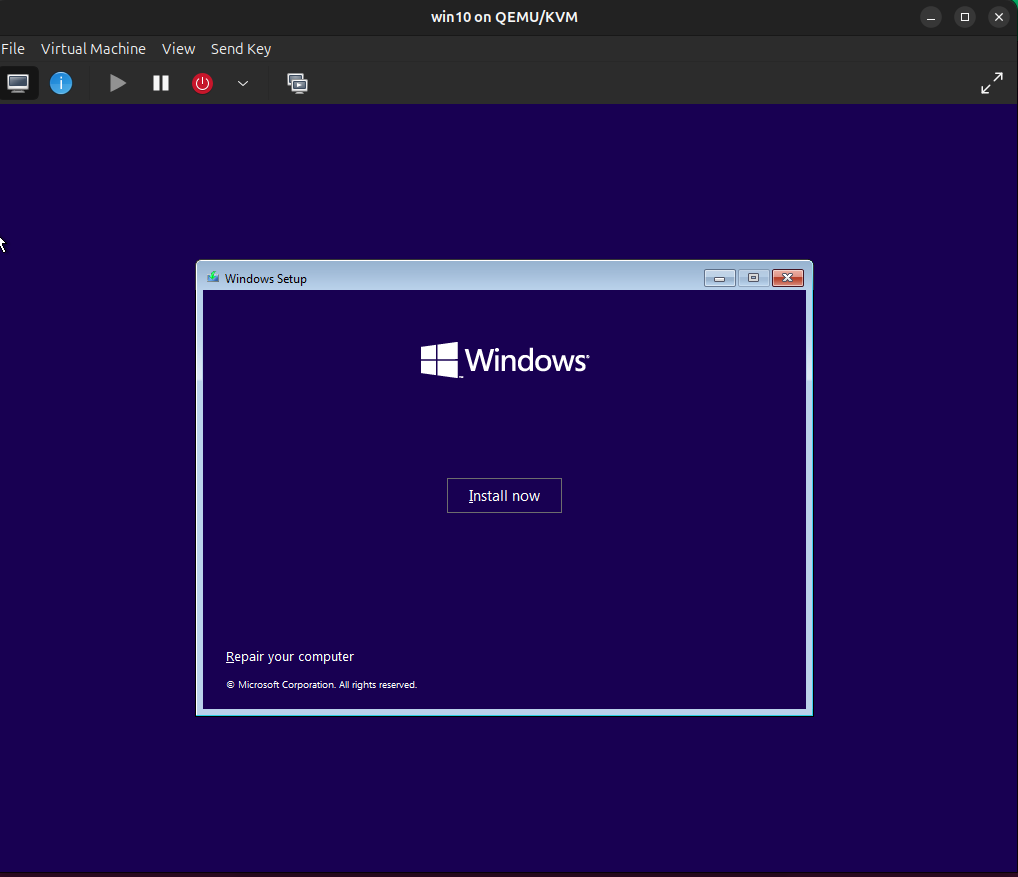
Huzzah! Good enough! I’ll go ahead and install Windows 10 just so I have a VM ready. But I think it’s safe to say this kernel works fine (at least for stock KVM). Now let’s see if the kvm-introvirt patch applies cleanly for this kernel version.
RECAP!
What have we done so far? – We built an older Linux kernel and booted into it. (Woooooow!)
What have we done so far for VMI? Nothing.
SecureBoot
All of the above assumes SecureBoot is off, since we didn’t sign the kernel we built. If you want SecureBoot on, let’s see what we can do about that (following this guide).
Change to your home directory and create a file called mokconfig.cnf with the contents (If you want to not store these files in the home directory then just make sure $HOME is set and remove the HOME line from the config file below):
# This definition stops the following lines failing if HOME isn't
# defined.
HOME                    = .
RANDFILE                = $ENV::HOME/.rnd
[ req ]
distinguished_name      = req_distinguished_name
x509_extensions         = v3
string_mask             = utf8only
prompt                  = no

[ req_distinguished_name ]
countryName             = <YOURcountrycode>
stateOrProvinceName     = <YOURstate>
localityName            = <YOURcity>
0.organizationName      = <YOURorganization>
commonName              = Secure Boot Signing Key
emailAddress            = <YOURemail>

[ v3 ]
subjectKeyIdentifier    = hash
authorityKeyIdentifier  = keyid:always,issuer
basicConstraints        = critical,CA:FALSE
extendedKeyUsage        = codeSigning,1.3.6.1.4.1.311.10.3.6
nsComment               = "OpenSSL Generated Certificate"
Replace YOUR* with appropriate values. Then run:
# Make keys
openssl req -config ./mokconfig.cnf \
        -new -x509 -newkey rsa:2048 \
        -nodes -days 36500 -outform DER \
        -keyout "MOK.priv" \
        -out "MOK.der"
# Convert to PEM
openssl x509 -in MOK.der -inform DER -outform PEM -out MOK.pem
At this point, I’m going to reboot, enable secure boot, and boot into the stock Ubuntu kernel (not the one I built). And then I’ll continue.
Import the DER
# Choose any password, it's just to confirm key selection
sudo mokutil --import MOK.der
Restart the system and at the blue screen of the MOKManager, select “Enroll MOK” and then “View key”. Confirm the key, continue, enter the password you just chose, and boot.
Confirm the new key is there:
sudo mokutil --list-enrolledSign the kernel, make a copy of initrd for the signed kernel, and update-grub (re-do this step only when you have a new kernel installed to sign).
sudo sbsign --key MOK.priv --cert MOK.pem /boot/vmlinuz-6.7.0-rc7-kvm6.8-1+ --output /boot/vmlinuz-6.7.0-rc7-kvm6.8-1+.signed
sudo cp /boot/initrd.img-6.7.0-rc7-kvm6.8-1+{,.signed}
sudo update-grub
Reboot and at the grub menu, select the signed kernel and it should boot.
Applying a patch
Now that we’ve accomplished basically nothing for VMI, let’s see if we can apply the kvm-introvirt patch to the stock Linux kernel for the same version (I literally cannot imagine a scenario where this doesn’t work).
Start by installing quilt which we’ll need to apply the patch
sudo apt-get install -y quiltNow we’ll need to clone kvm-introvirt and change to the folder containing the most up-to-date patch.
cd ~/git
git clone git@github.com:IntroVirt/kvm-introvirt.git
cd ~/git/kvm-introvirt/ubuntu/noble/hwe/6.8.0-41-generic
We are now existing inside of the folder with the most up-to-date patch for Ubuntu 24.04. Do I like how kvm-introvirt got restructured? No I do not. Blame me…it was me. But anyway, we now have to either move the kvm git repo to this folder we’re in now, or re-clone all of kvm here and checkout the right branch. I tried a symlink and quilt did not apply the patch. So anyways, let’s move it in:
mv ~/git/kvm ~/git/kvm-introvirt/ubuntu/noble/hwe/6.8.0-41-generic/kernelThen we can try to apply the patch
quilt push -a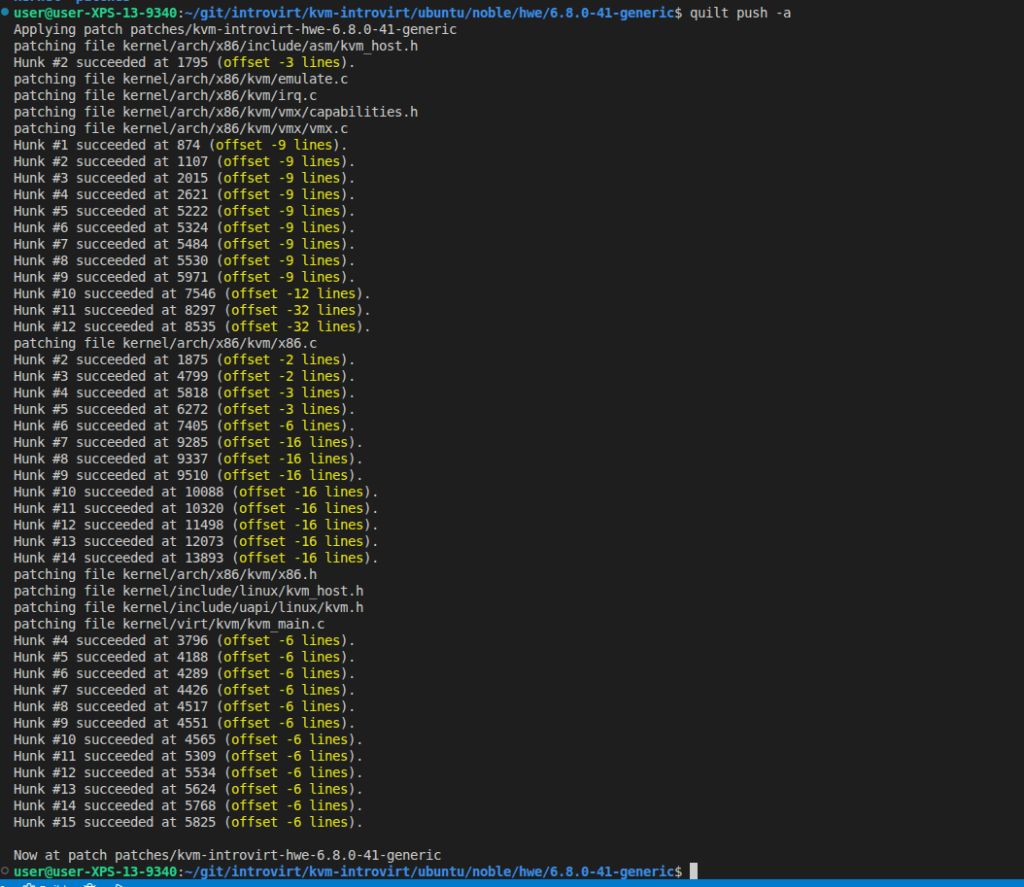
It WORKED! (I hope). It still needs to compile and then run.
So let’s do that. We’ve already done this so I won’t go into verbose detail:
# Remember we moved the kvm repo and named it kernel
# you could put it back now if you want
cd ./kernel
# So we can distinguish our kernel
./scripts/config --set-str CONFIG_LOCALVERSION -introvirt

# Make and install
make olddefconfig
make -j$(nproc) bindeb-pkg
cd ..
sudo dpkg -i linux-image-6.7.0-rc7-introvirt+*deb

# Sign for SecureBoot (if we have that on)
cd ~
sudo sbsign --key MOK.priv --cert MOK.pem /boot/vmlinuz-6.7.0-rc7-introvirt+ --output /boot/vmlinuz-6.7.0-rc7-introvirt+.signed
sudo cp /boot/initrd.img-6.7.0-rc7-introvirt+{,.signed}
sudo update-grub

# Reboot and select the signed IntroVirt kernel at grub
sudo reboot
What a ride. Now we actually have to install IntroVirt. Which we can do from source pretty easily. I’ll go quick:
# Clone
cd ~/git
git clone git@github.com:IntroVirt/libmspdb.git
git clone git@github.com:IntroVirt/IntroVirt.git

# MS PDB
cd ./libmspdb/build
sudo apt-get install -y cmake libcurl4-openssl-dev libboost-dev git
cmake ..
make -j$(nproc) package
sudo apt install ./*.deb

# IntroVirt
cd ~/git/IntroVirt/build
sudo apt-get install -y python3 python3-jinja2 cmake \
    make build-essential libcurl4-openssl-dev \
    libboost-dev libboost-program-options-dev \
    git clang-format liblog4cxx-dev libboost-stacktrace-dev \
    doxygen liblog4cxx15
cmake ..
make -j$(nproc) package
sudo apt install ./*.deb
Hopefully that all goes well and now we can boot up our VM and test things out.
# Show IntroVirt installed and KVM recongnized
sudo ivversion
# Get guest info (OS version etc...)
sudo ivguestinfo -Dwin10
# Systemcall trace
sudo ivsyscallmon -Dwin10
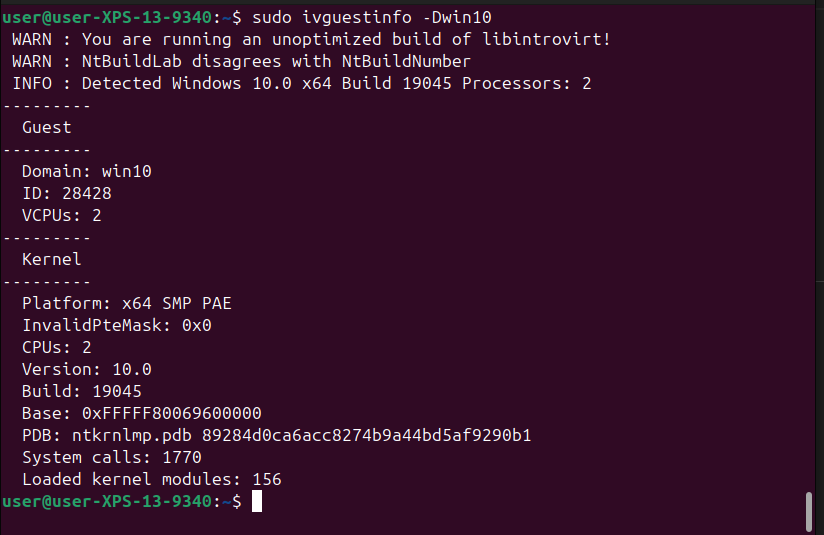
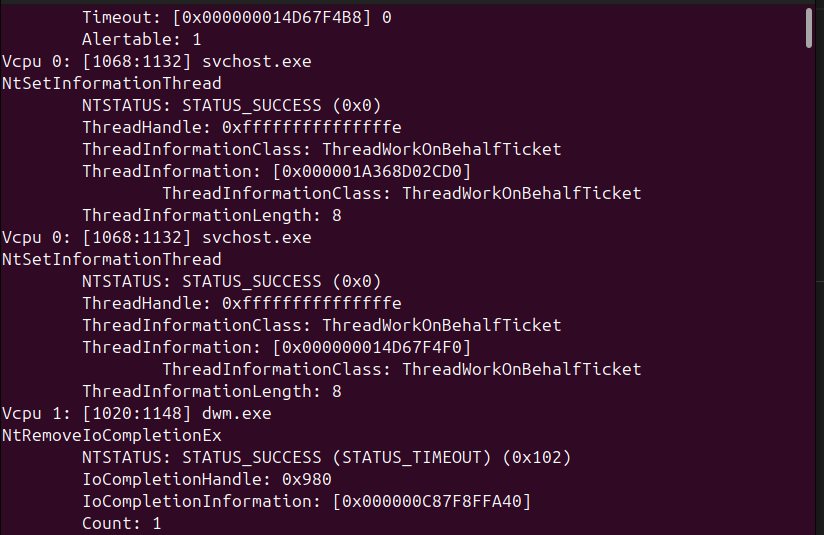
GREAT SUCCESS! And that’s it for today. The state of VMI is right where I left it. Hopefully I pick this up against next week.
Tags: C++, Drakvuf, hvmi, IntroVirt, kernel modules, Kernel Patch, KVM, Linux, Linux Kernel, Quilt, Secure Boot, virtual machine introspection, vmi, Windows
About Me

Sean LaPlante
Software Engineer
Hello
Follow Me
Connect with me if you want.
Leave a Reply